#keycap-studio
platformWebtargetCherry MX transparentoutput8.5×11 print at 300 DPIlayout1×1 → 12×16 gridauthpersonal / allowlisted
Print custom legends for transparent Cherry MX keycaps. Keycap Studio is a browser-based replacement for the Pixelmator template I used to design legend inserts for clear Cherry MX keycaps (the popular Amazon "X-Key" style). Drop in an icon, upload an image, or type a label — then print a full 8.5×11 sheet at the correct physical size. No more wrestling with a fixed template.
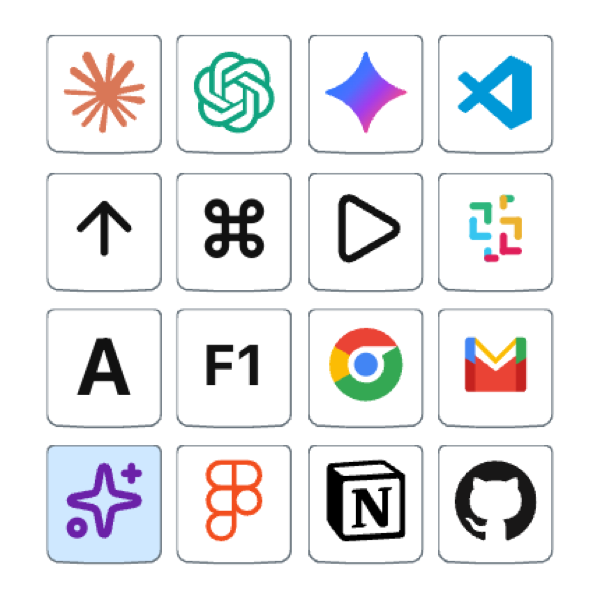
###What it does
Lays out a sheet of clickable keycap slots, scaled to the ~14.5 mm Cherry MX print window. Each slot can hold a Lucide pictogram, a Simple Icons brand logo in authentic colors, an uploaded image clipped to the keycap silhouette, or just a typed label. Cmd+P prints the sheet — app chrome hides automatically.
###Features
- 96-keycap sheet at US Letter, 300 DPI, calibrated to the ~14.5 mm Cherry MX print window
- Configurable grid anywhere from 1×1 to 12×16 keycaps per sheet
- Curated icon library: keyboard actions, arrows, media, AI, productivity glyphs, brand logos
- Brand logos in authentic colors via Simple Icons; pictograms via Lucide (Obsidian, Raycast, ChatGPT, Claude, Notion, Figma, VS Code, GitHub, Slack, …)
- Custom image upload with automatic clipping to the keycap silhouette
- Print-ready output via ⌘ + P — chrome hides, only the sheet prints
- Layout persists to localStorage so closing the tab won't lose work
##Notes#
- This one is a personal tool, not a public product — access is allowlisted to me.
- PDF export is on the roadmap; today the workflow is print-only.
- Per-key background color is also roadmap, not current.